Navigate to top
01

Step 1 / 5

Add documents

Formats
  • WordDOCX
  • PDFPDF
  • TextTXT
Your Documents

Your Documents

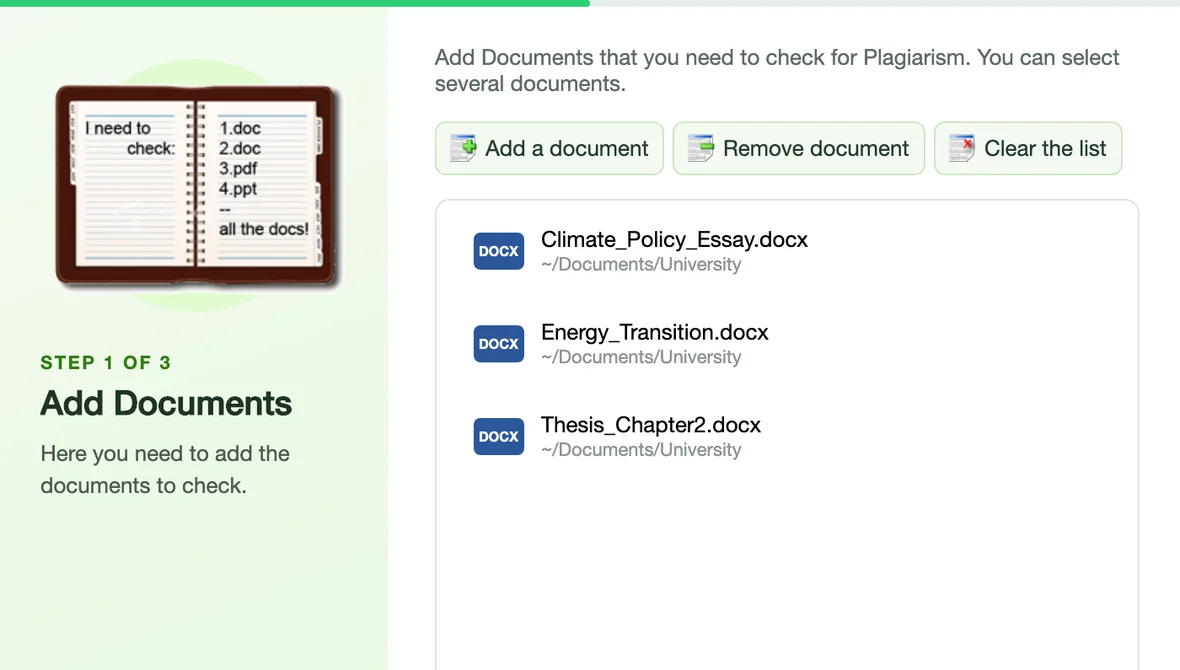
Add Word (.docx), PDF and text files with the Add button or in the step-by-step wizard. The list shows every document and the folder it comes from.

Main Window and Quick Check

Main Window and Quick Check

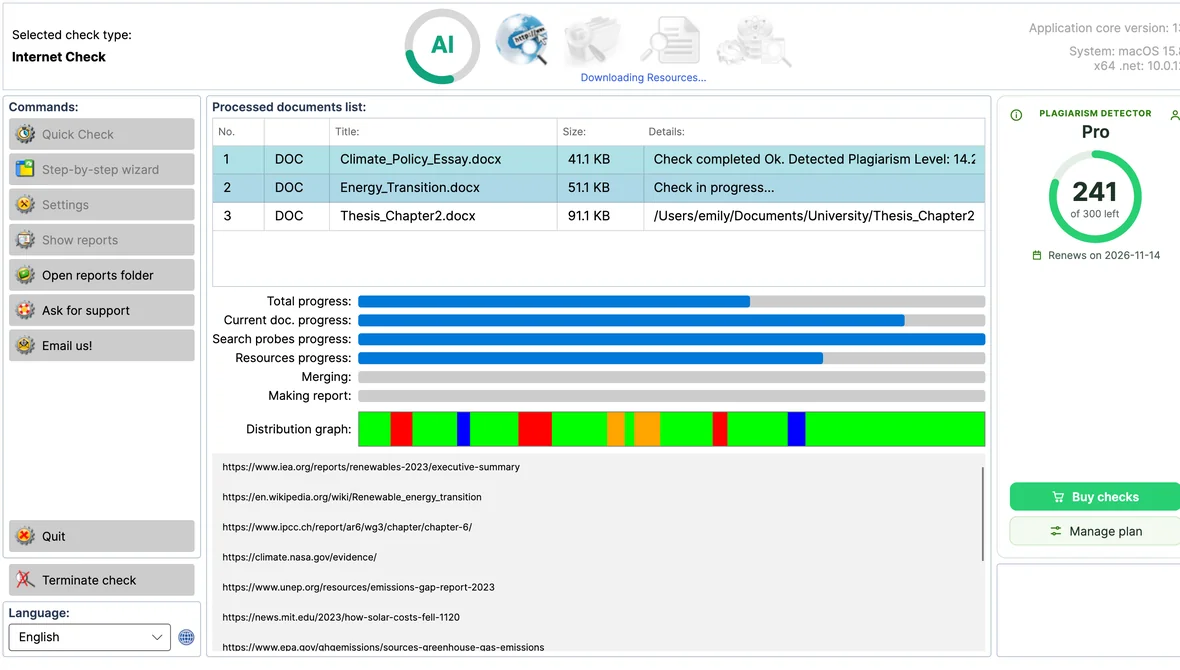
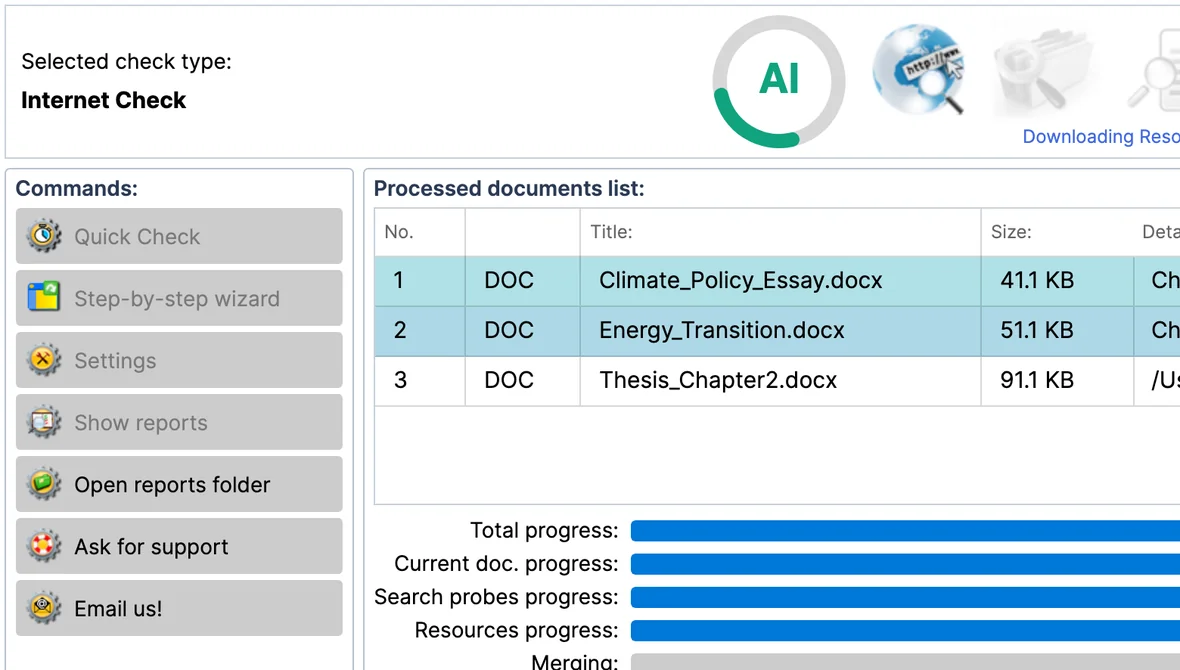
One window for everything: start a Quick Check, follow every document's progress and open your reports. Your plan and the checks left are always in view.

Step-by-step Check Wizard

Three guided steps - add your documents, choose what to detect, pick the check type - and the check starts. It can open at every start-up.

Drag and Drop

Drop .docx, .pdf and .txt files on the main window to add them to the check.

Last Session Documents

The wizard reloads the documents of your previous session with one click.

Apple Silicon and Intel

One universal app, native on Apple silicon and Intel Macs, for macOS 13 Ventura and later. Signed and notarized by Apple.

02

Step 2 / 5

What to detect

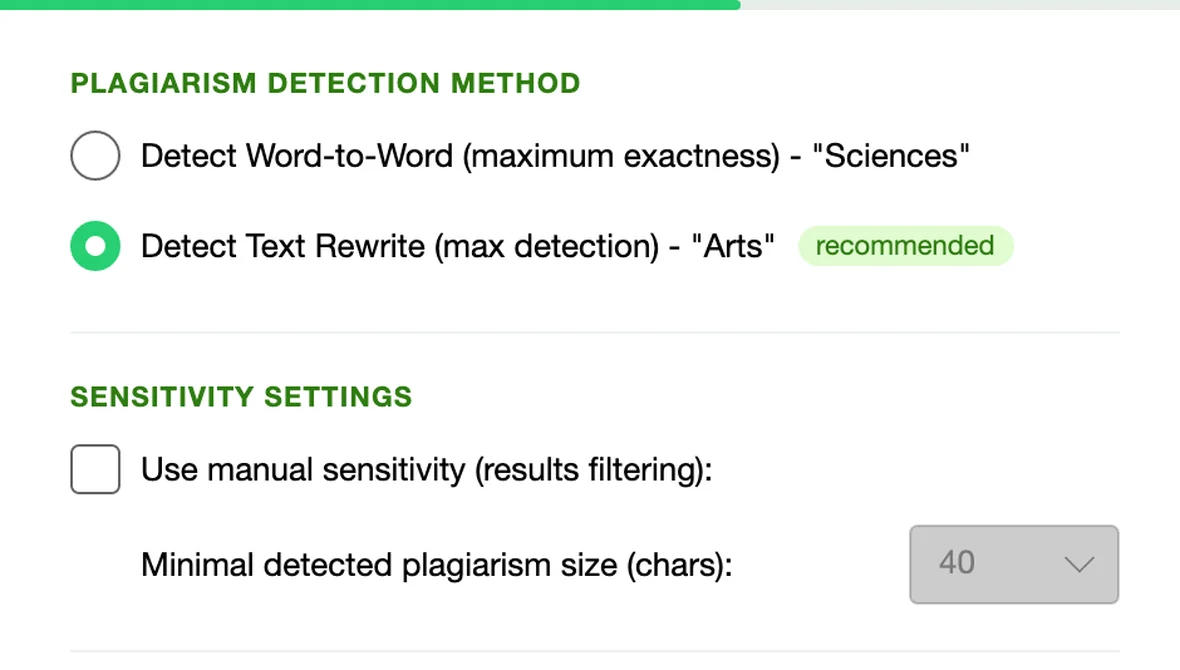
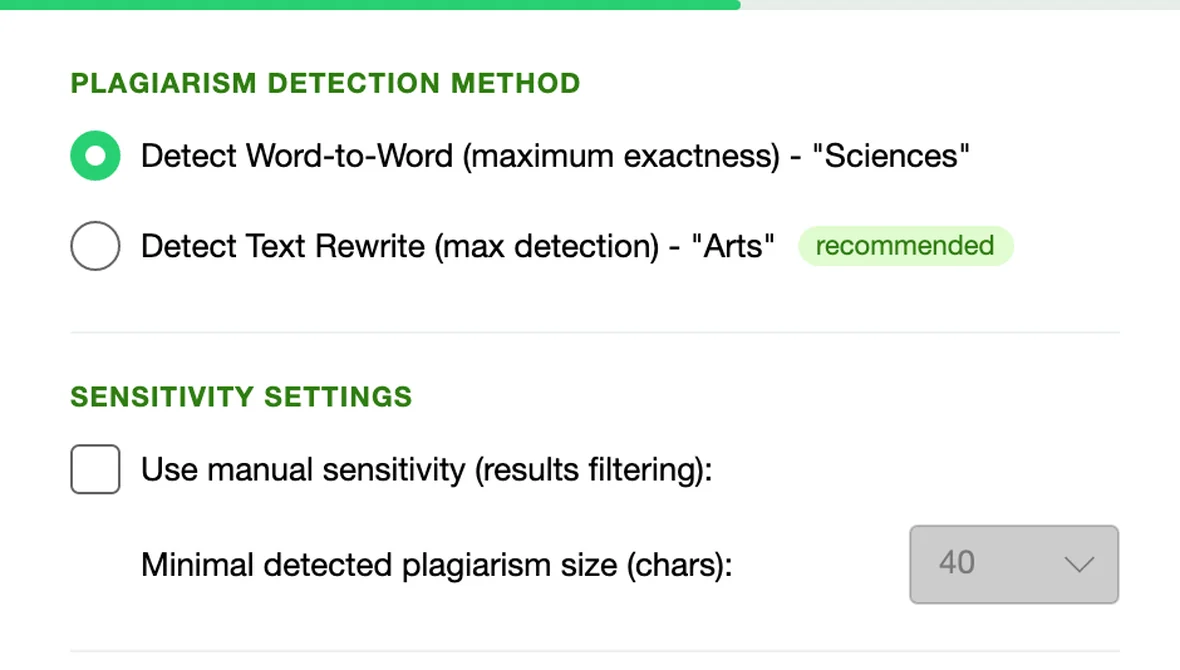
PresetsWord-to-Word [Sciences]Rewrite [Arts]
Text Rewrite Detection - "Arts"

Text Rewrite Detection - "Arts"

The recommended preset: finds paraphrased and reworded passages as well as exact copies.

Word-to-Word Detection - "Sciences"

Word-to-Word Detection - "Sciences"

Maximum exactness for technical and scientific texts: only word-for-word matches are reported.

AI Content Analysis

AI Content Analysis

Highlights passages that look machine-written. The AI ring shows the analysis while the check runs, and the report gives the AI share next to the plagiarism level.

UACE - Unicode Anti-Cheating Engine

UACE - Unicode Anti-Cheating Engine

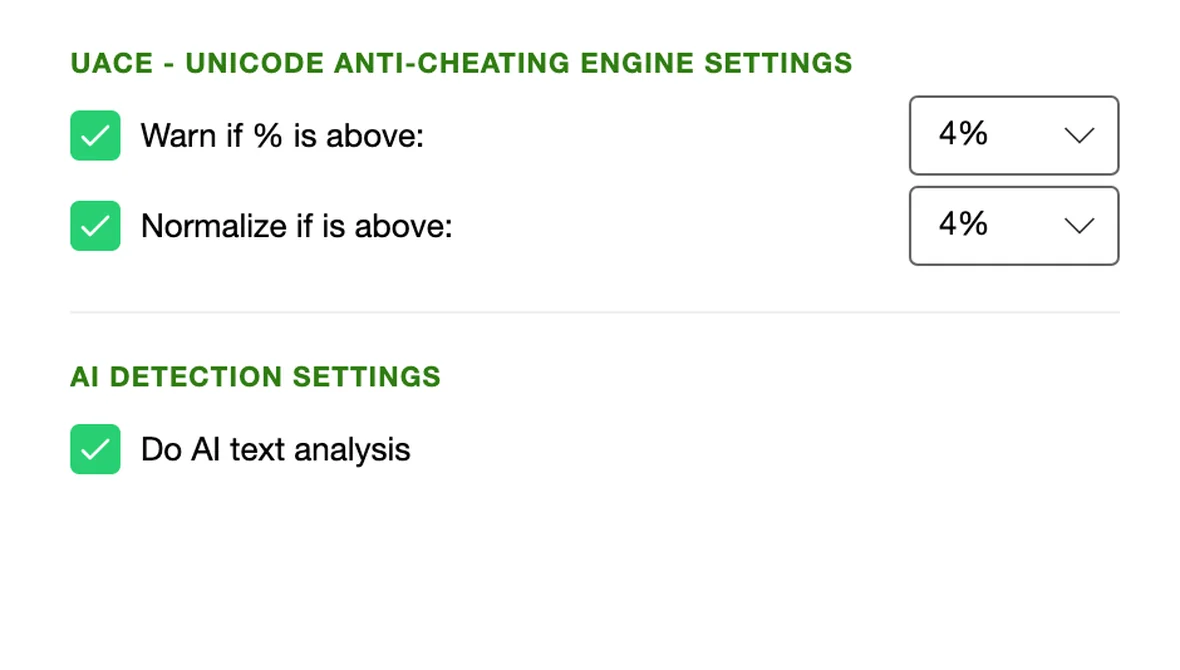
Catches letters swapped for look-alike symbols from other alphabets and hidden characters: it warns you above your threshold and normalizes the text before the check.

What Counts as Plagiarism

What Counts as Plagiarism

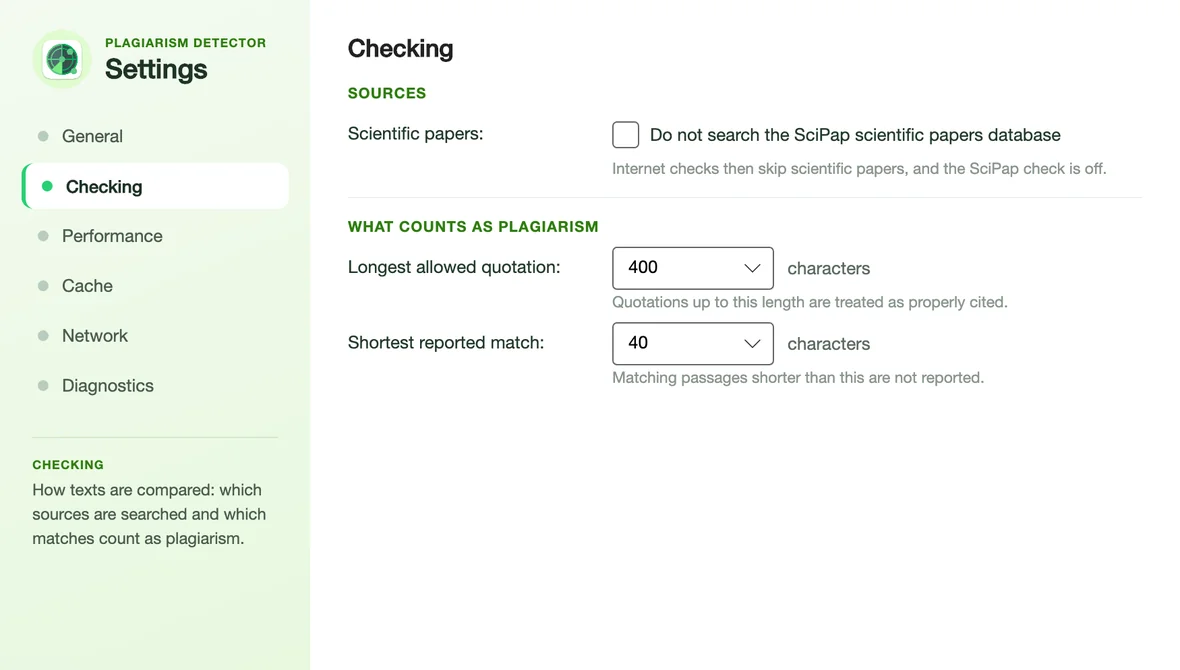
Set the longest allowed quotation and the shortest reported match in Settings, so properly cited text is not counted against the author.

Quotes and References Handling

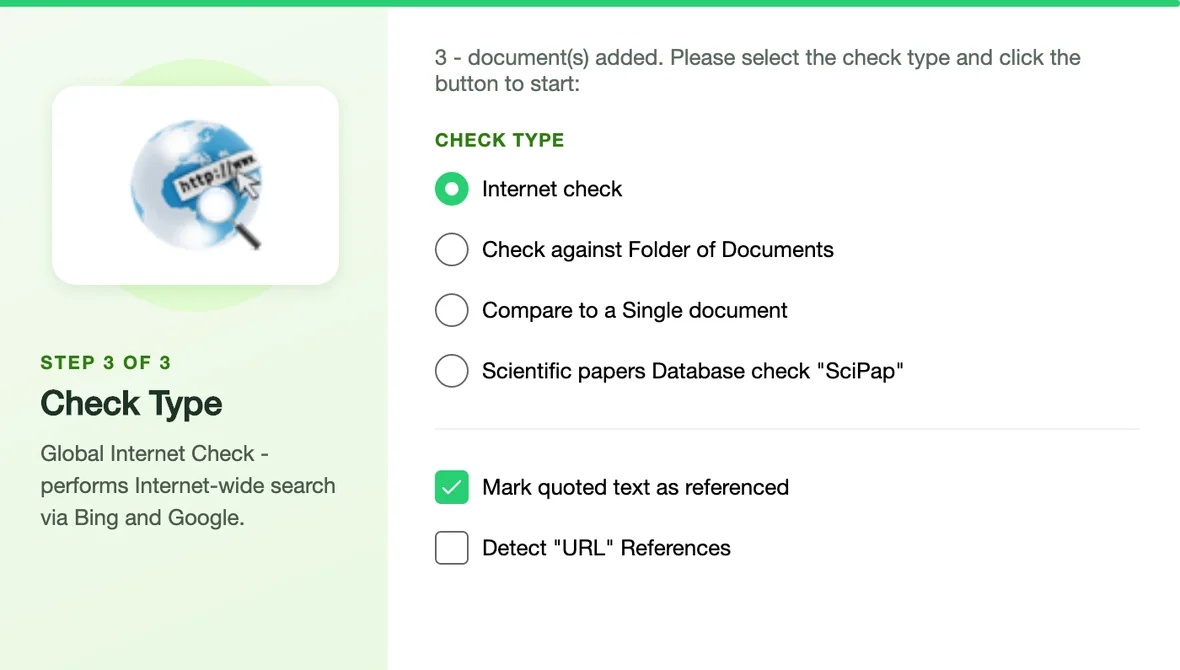
Quoted text and URL references are recognised and reported separately, so properly cited text is not counted as plagiarism.

Fine-tuned Sensitivity

Manual sensitivity sets the minimal reported plagiarism size; the report list adds your own alert threshold %.

Automatic Language Detection

The language of every document is detected automatically.

03

Step 3 / 5

Select check type

SourcesGoogleBingSciPap 75MFolderDocument pair
Internet Check

Internet Check

Searches the web with Google and Bing, downloads the matching pages and compares them with your document on your Mac. Our scientific-papers index is searched as well.

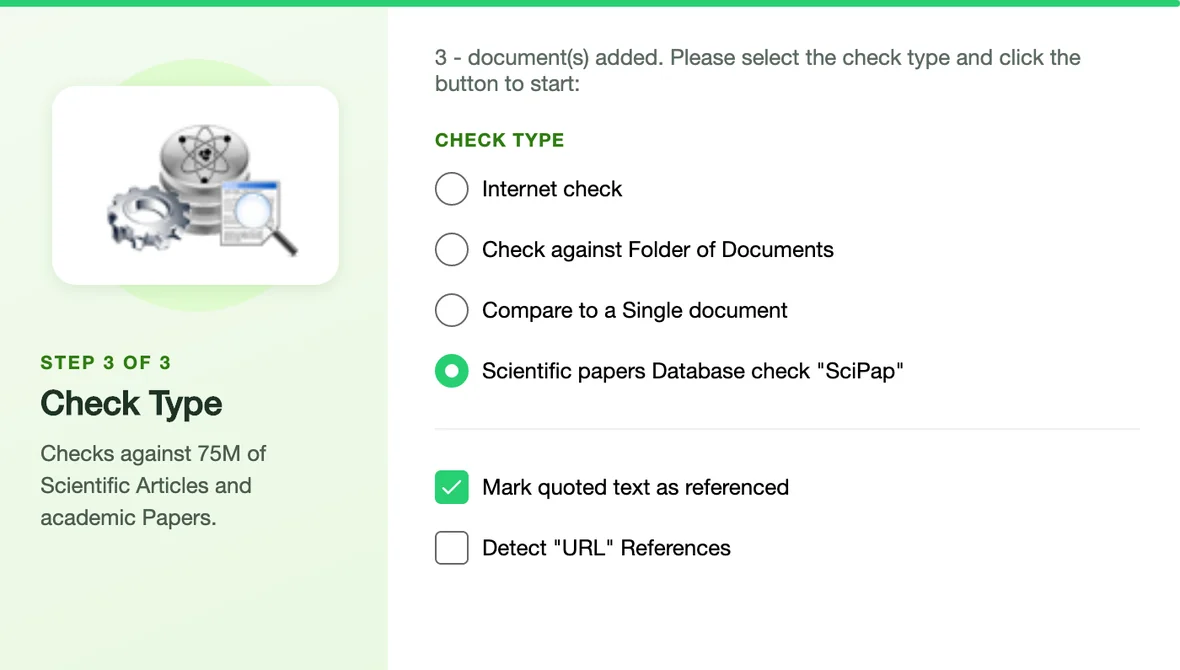
Scientific Papers Check - "SciPap"

Scientific Papers Check - "SciPap"

Compares your document with our own index of 75 million scientific articles and academic papers.

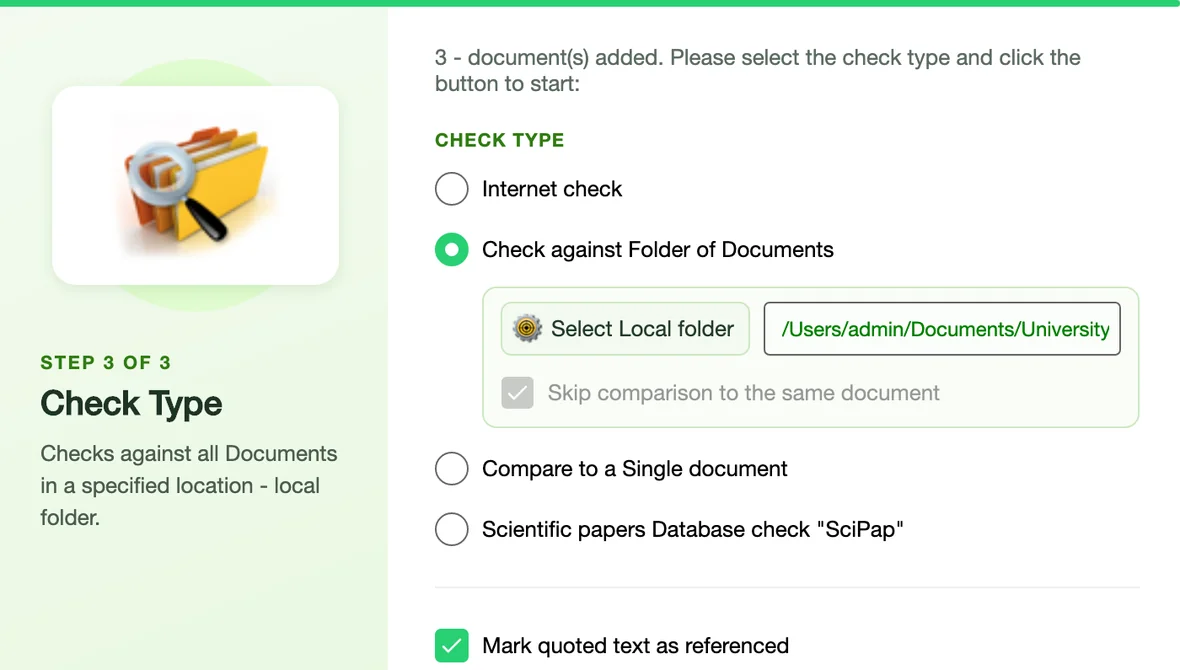
Check Against a Folder

Check Against a Folder

Compares your documents with every document in a folder on your Mac: earlier submissions, a course archive, your own drafts.

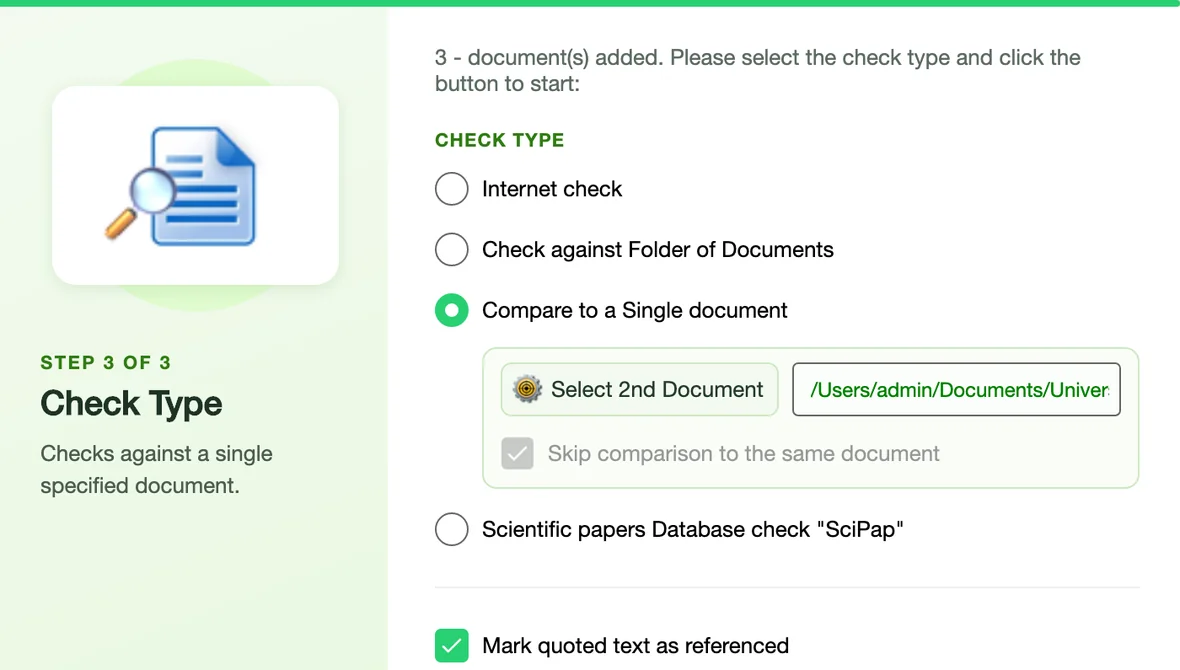
Compare Two Documents

Compare Two Documents

Checks your document against a second document you choose and shows every passage they share.

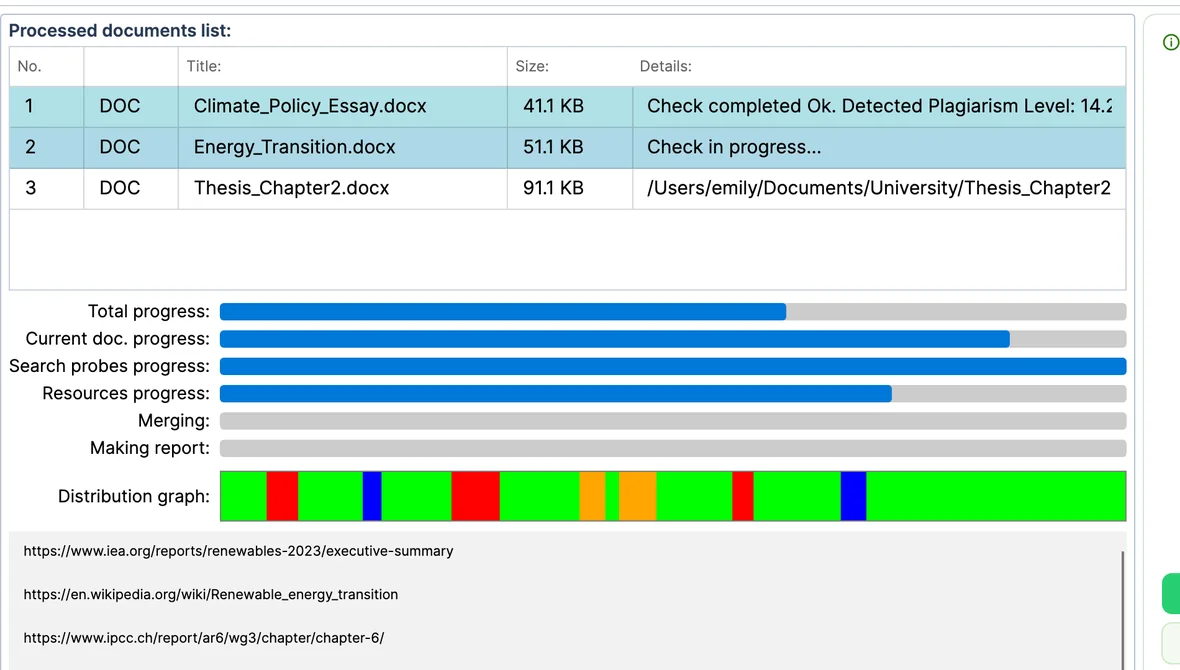
Live Results

Live Results

Sources appear in the list as they are found, and the distribution graph fills in while the check runs.

Faster Repeat Checks

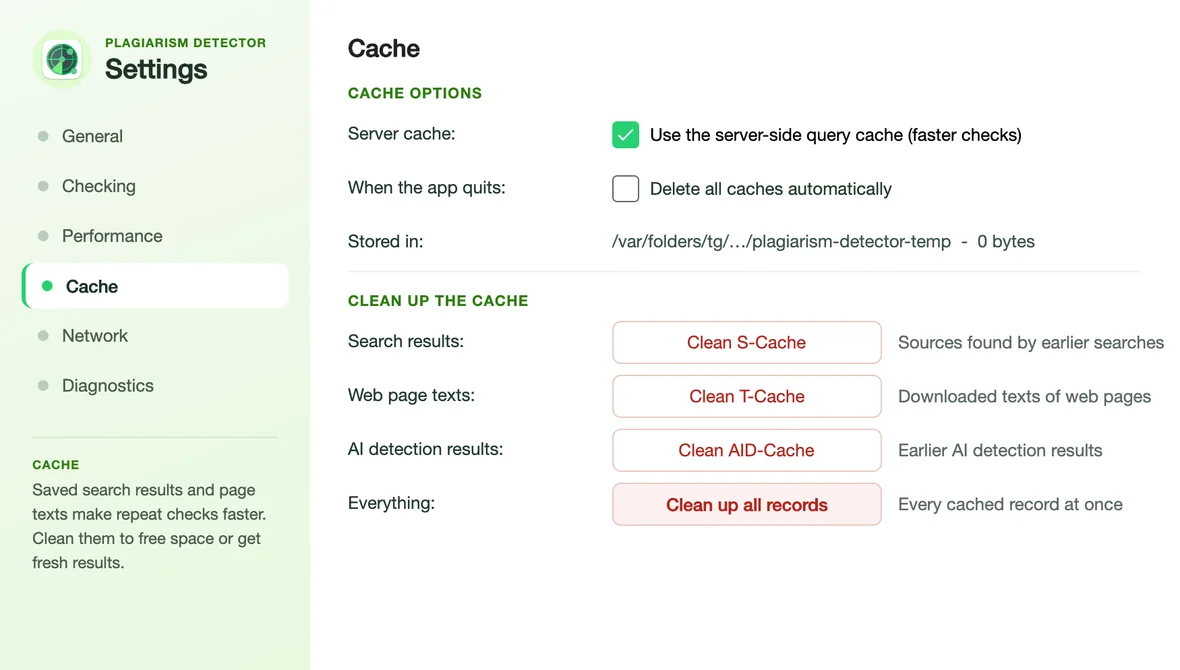
Search results, page texts and AI results are cached, so checking a new version of a document is quicker. Every cache can be cleaned in Settings.

Your Text Stays on Your Mac

The Internet check sends only short search phrases. The scientific-papers check and AI detection need the document text, and both can be switched off.

04

Step 4 / 5

Read the report

CategoriesPlagiarismReferencedLinkedQuotedOriginalAI
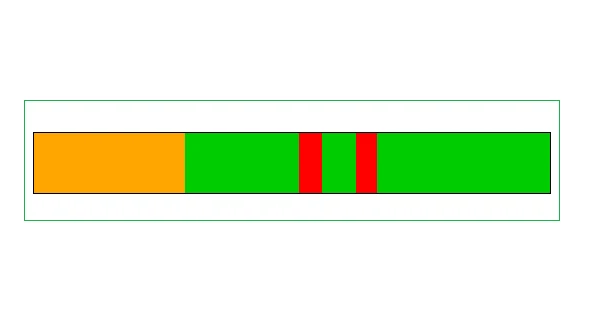
Plagiarism Distribution Graph

Plagiarism Distribution Graph

This colorful bar will display all the detected and marked parts of the document in a horizontal or vertical manner - thus giving a view on the location of the detected sub-parts

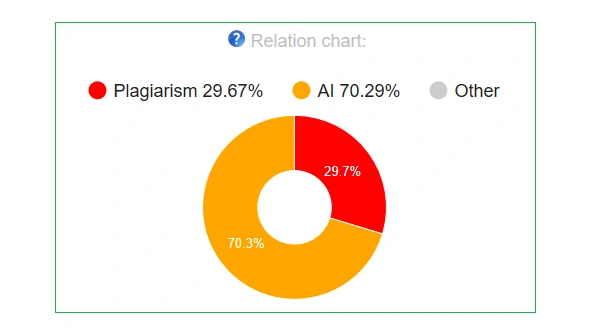
Originality Report Relations Chart

Originality Report Relations Chart

In any generated Originality Report you can find an 'Originality Report Relations Pie Chart' that clearly shows difference between AI generated, Plagiarized, Original and Quoted parts

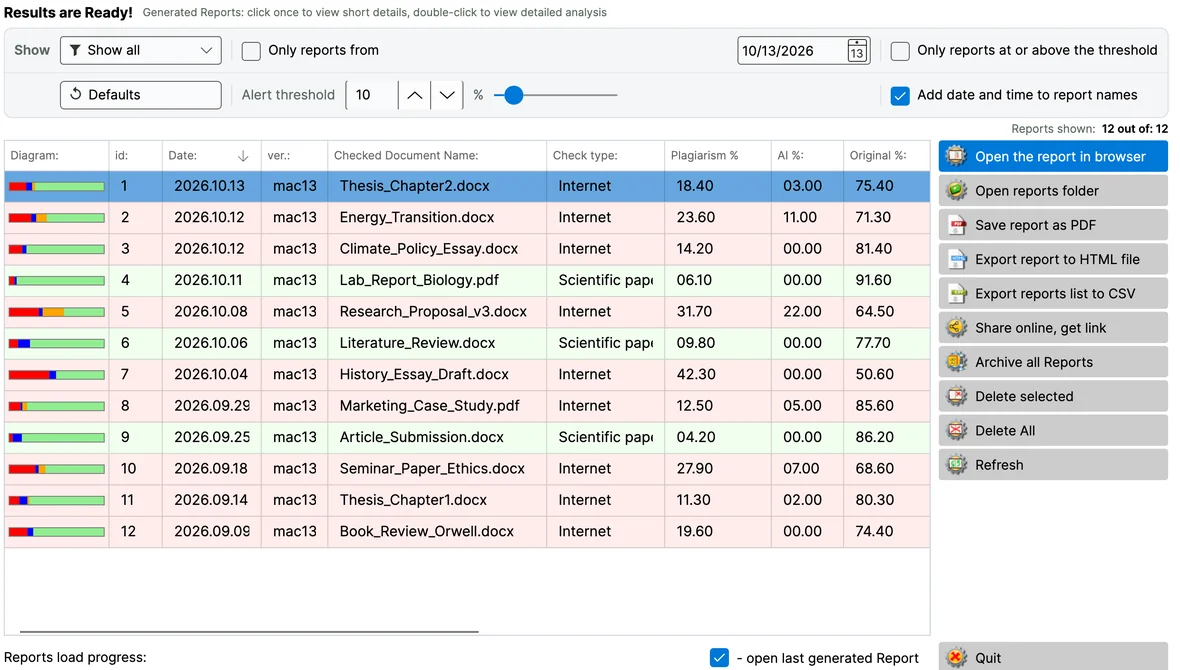
Every Report in One Place

Every Report in One Place

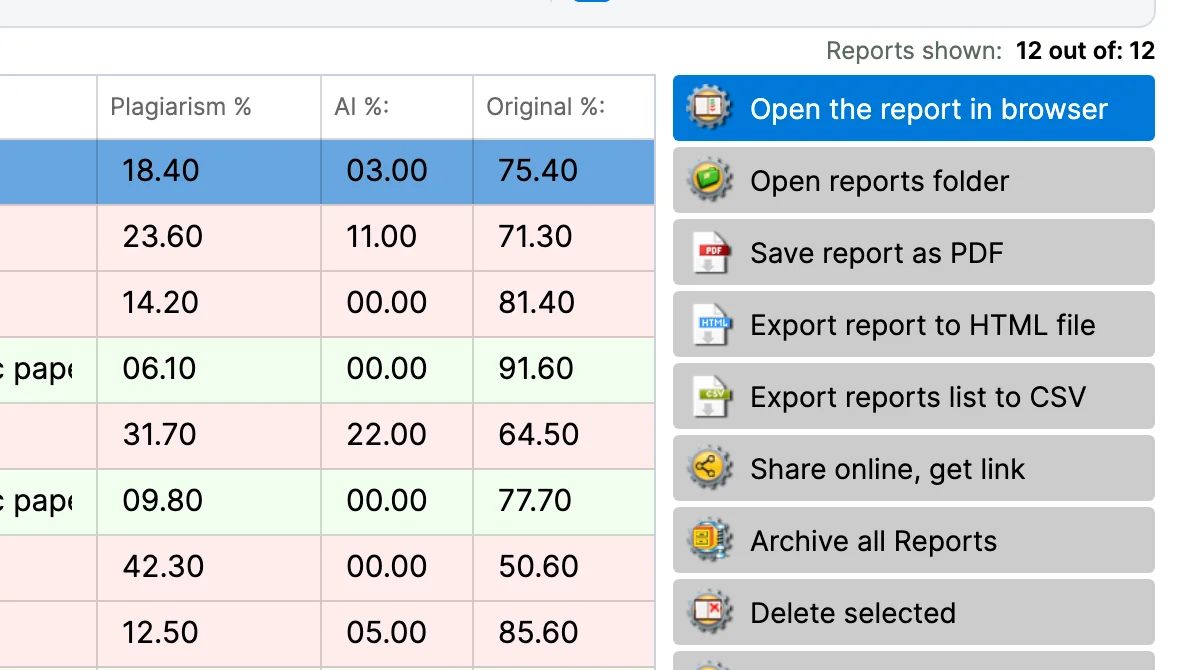
All your reports in one list with date, check type and plagiarism, AI and original %. Sort, filter by check type, date or your alert threshold, and reopen any of them.

Opens in Your Browser

An Originality Report is an HTML file that opens in Safari or your default browser - no extra viewer to install.

Detailed Similarity Coefficients

CS1 - text matched in fragments of 5+ words, CS2 - in fragments of 25+ words, CIT - text marked as quoted or cited.

Hot Flags

A report block that flags matches from Wikipedia, Google Books and known ghostwriting services.

05

Step 5 / 5

Manage & export

ExportPDFHTMLCSV (report list)ZIP archiveonline link
Save, Export and Share

Save, Export and Share

Open a report in your browser, save it as PDF, export it to an HTML file or the whole list to CSV, archive or delete reports - all from the report list.

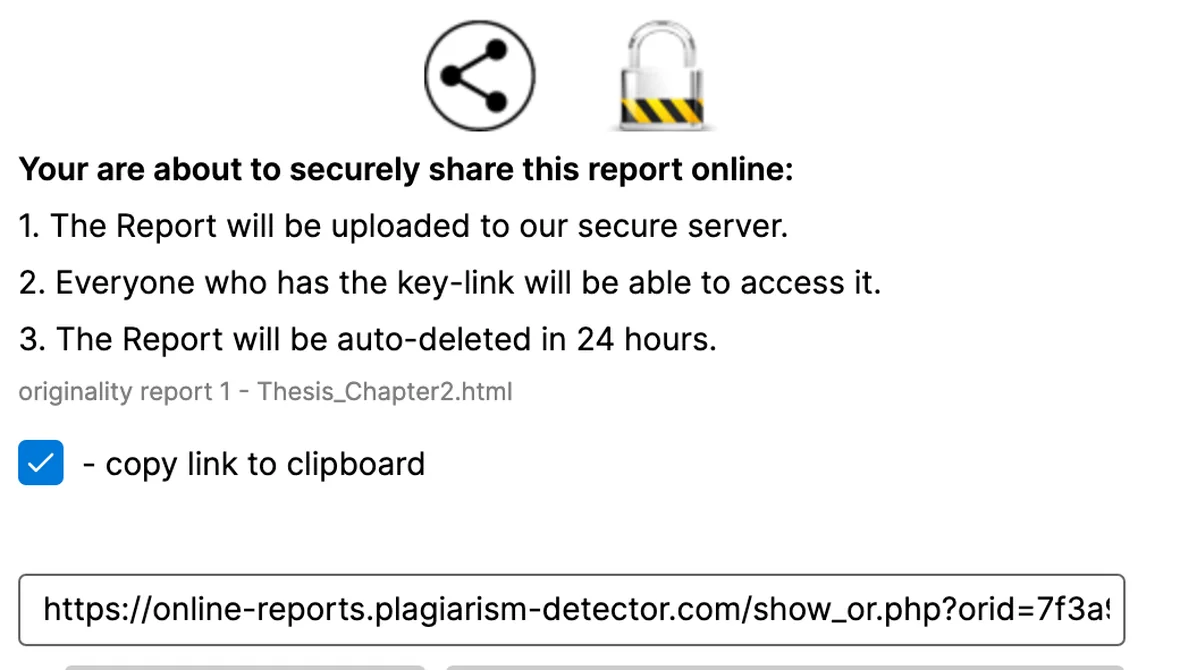
Share a Report Online

Share a Report Online

Upload a report and get a private link anyone holding it can open; the shared copy is deleted automatically after 24 hours.

Settings

Settings

Choose where reports are saved and their font, what counts as plagiarism, the caches, a proxy and diagnostics - all in one Settings window.

Free Demo

The free demo checks one document at a time and gives you a full report, so you can see the results before you choose a plan.